PROJECT OVERVIEW
A universal pendant for AGVs
Client
Team
Tools
Timeline
Global usability, zero text
JBT’s autonomous vehicles were equipped with advanced tech, but their outdated pendant interface created friction for operators. It needed a complete redesign that balanced safety, simplicity, and global accessibility. My role:
Design a single UI to work across multiple vehicle types (solar, manufacturing, hospital)
Create a fully icon-based system to eliminate language barriers
Adapt the design to fit the constraints of the pre-selected KEBA T10 hardware
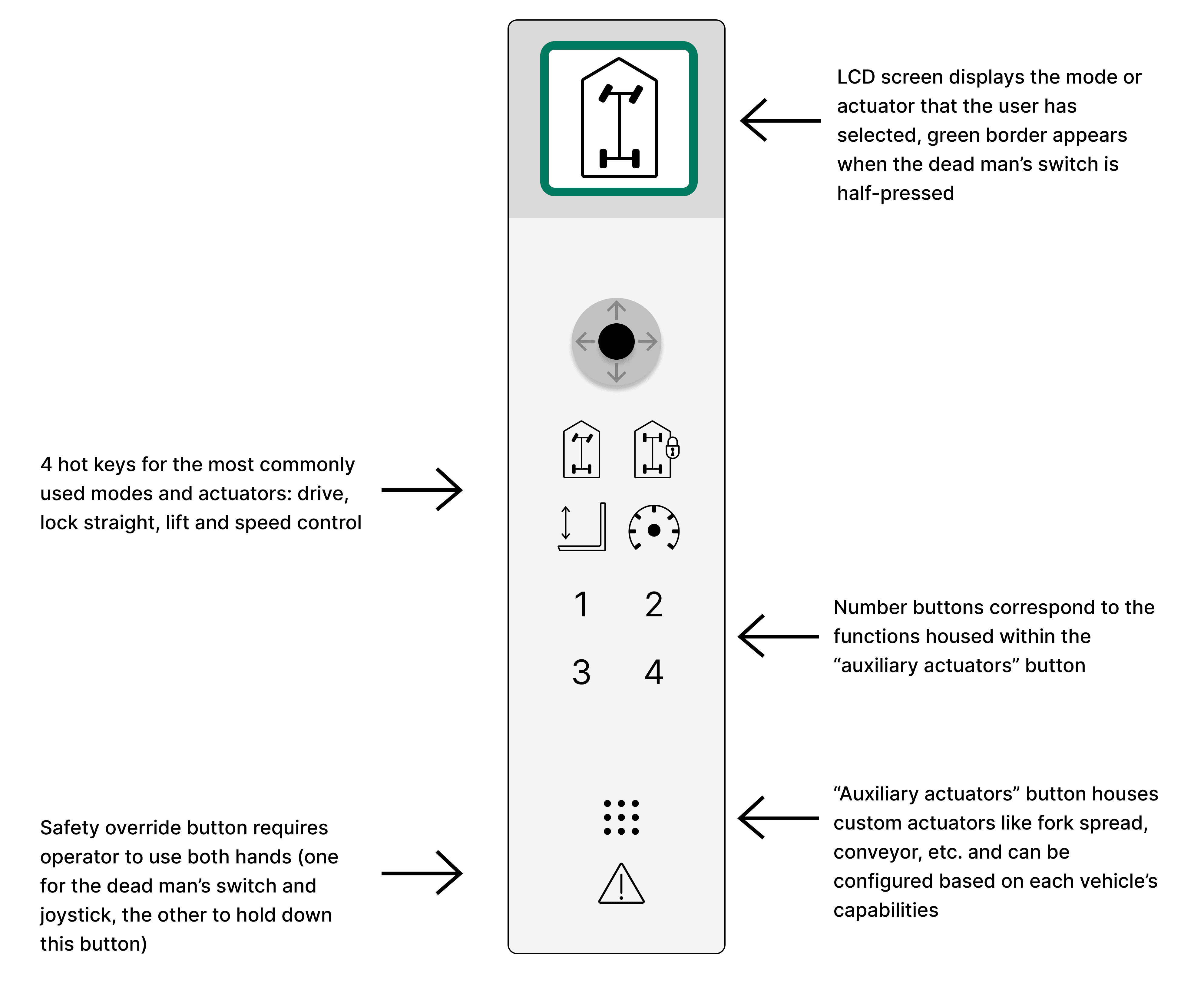
An upgraded pendant
The new interface focused on clarity and speed. Key improvements:
Hot keys for top-priority actions like Lift and Speed Control
Split-Screen Navigation to quickly toggle through custom actuators
LCD feedback with icon-based status indicators and visual alerts (green = active, red = vehicle error)
Original Pendant
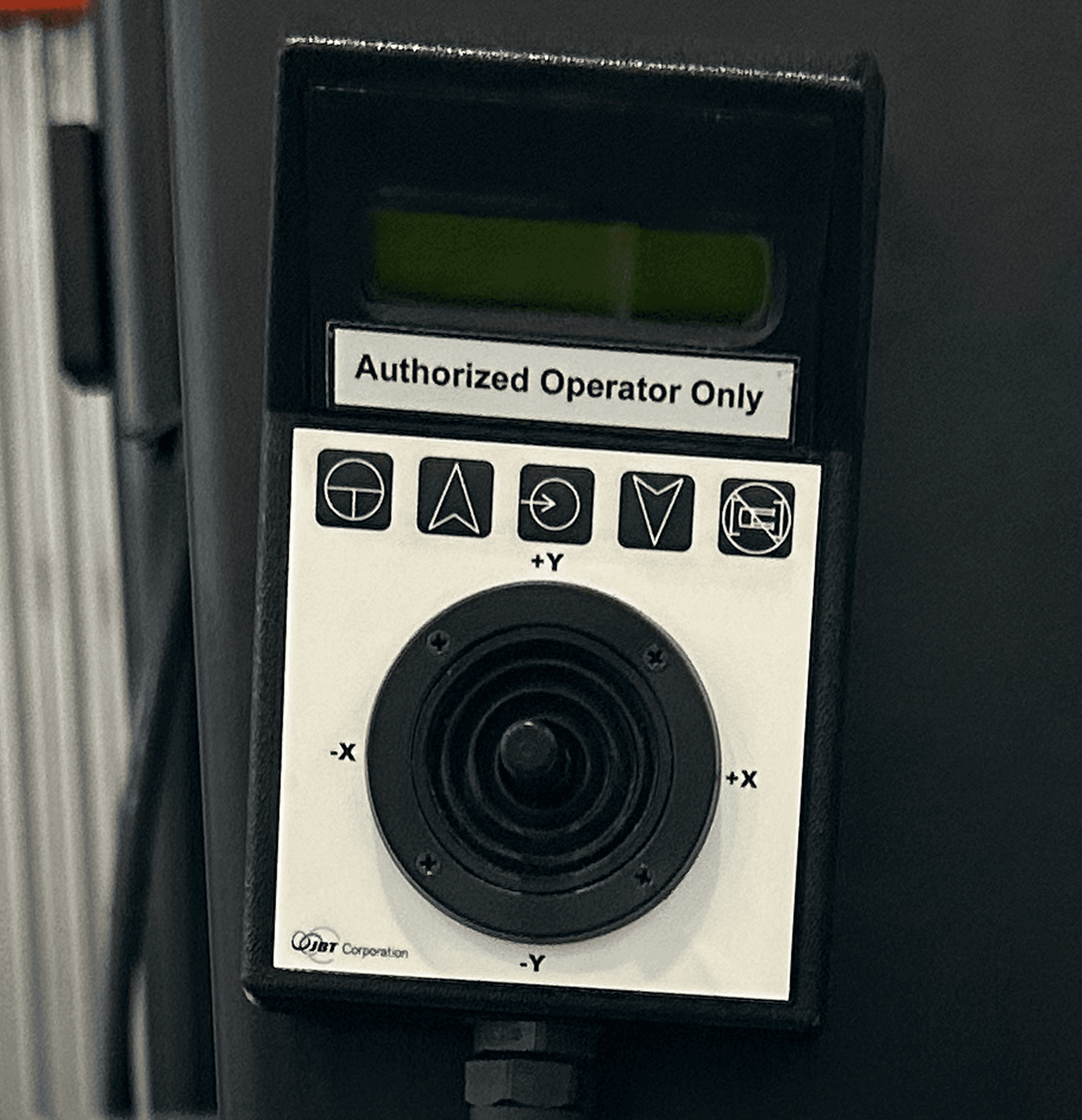
New Design
MY APPROACH
Research on the warehouse floor
1 warehouse site visit
Warehouse in Dallas-Forth Worth
8 in-person interviews
Operators and engineers at the warehouse
4 virtual interviews
Operators at a solar facility and hospital
5.25/10 usability score
RESEARCH FINDINGS
Primary pain points
Operators flipped the device upside down (!) to match the perspective of the AGV
Long, linear mode menus = slow, error-prone navigation
Icons were hard to learn, requiring training + memorization

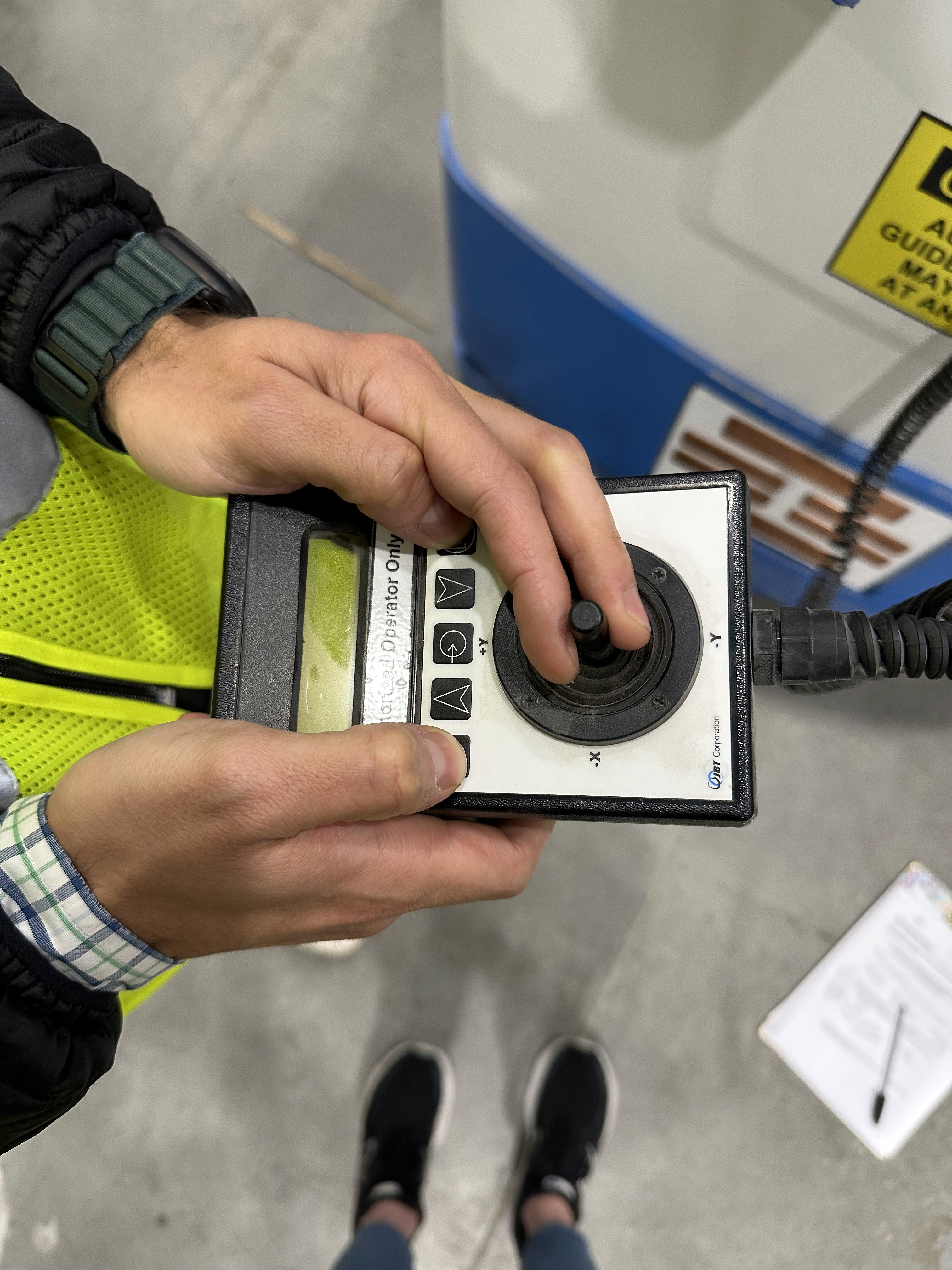
SETTLING THE DEBATE
To address operators flipping the pendant upside down…
My thinking?
INITIAL IDEATION & PROTOTYPING
First iteration:
Implemented ISO 7000 icons – globally recognized and standardized
Replaced hidden modes with hot keys – direct access to frequently-used actuators
Added mode feedback – Active mode displayed with icon and on LCD screen to confirm operator input
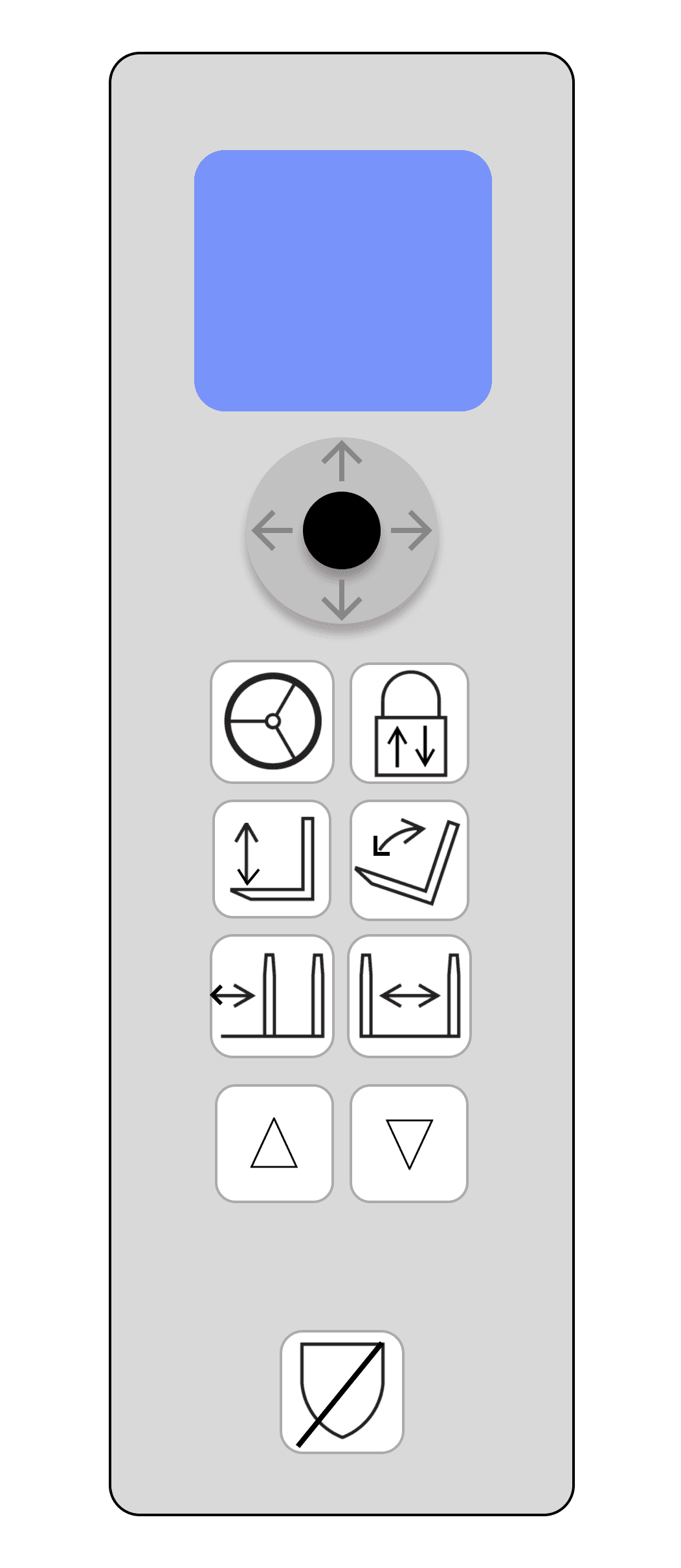
Engineering feedback revealed:
Drive & lock straight icons = too vague. Most users guessed their functions only with context clues.
Up/down arrows were confusing. Felt redundant with joystick—left users unsure how to move actuators.
Selected hot keys felt forklift-specific, which unintentionally narrowed the perceived use case of the pendant.
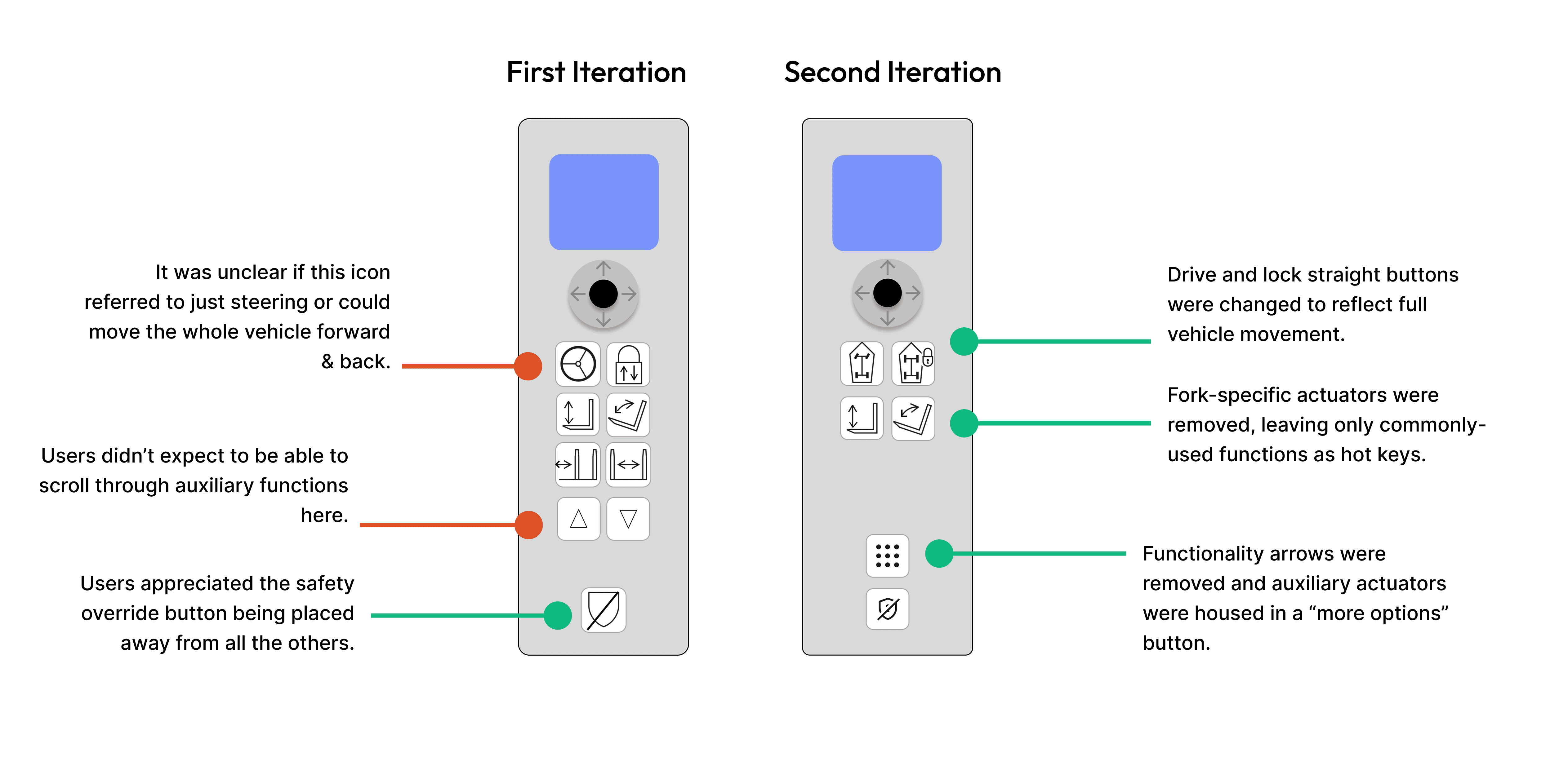
Customer feedback showed:
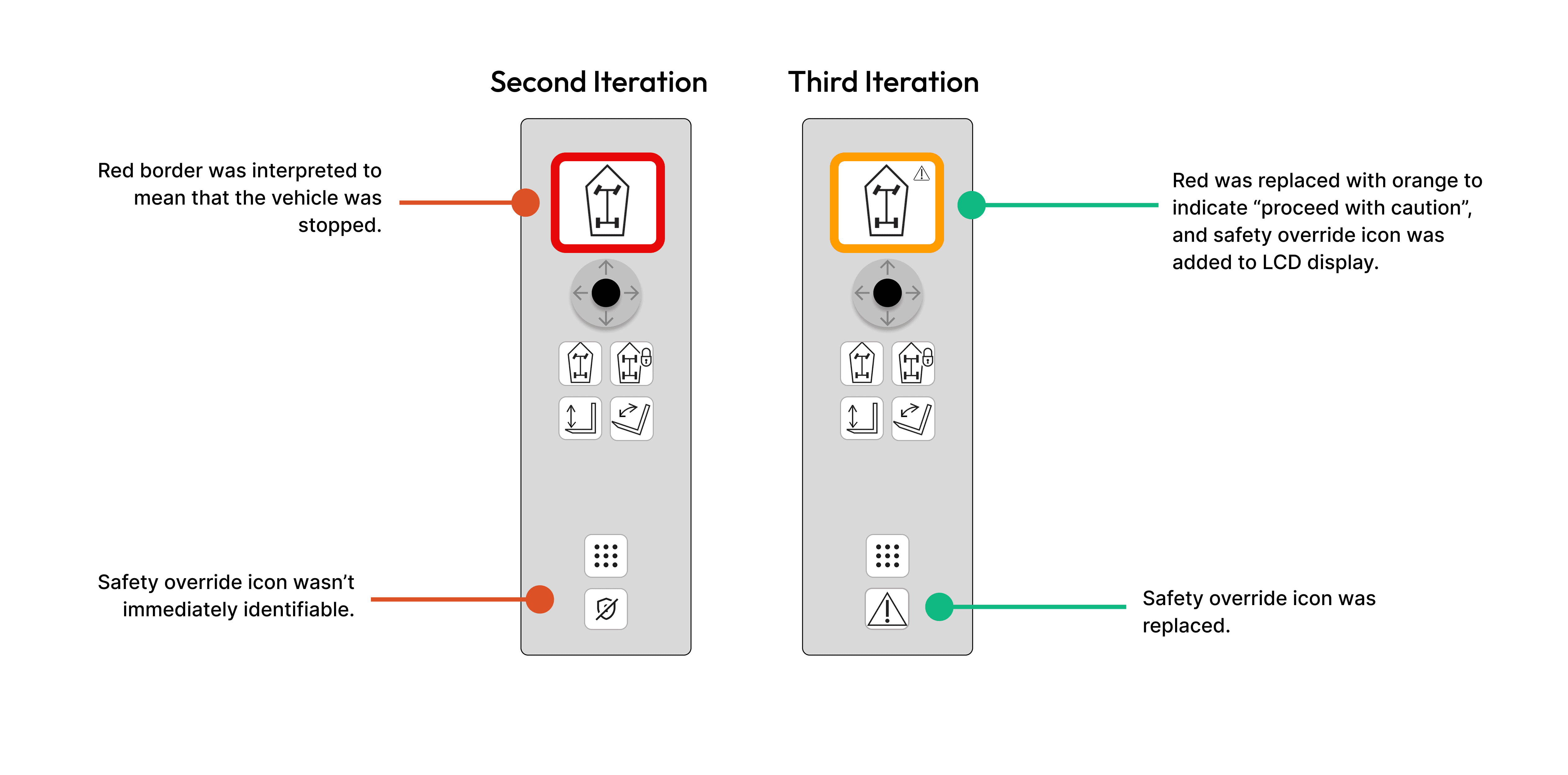
Safety override was still unclear. Users often identified it only by process of elimination.
LCD feedback was misleading. Users interpreted the red safety border as a vehicle stop, rather than a “proceed with caution” signal.
FINAL TOUCHES
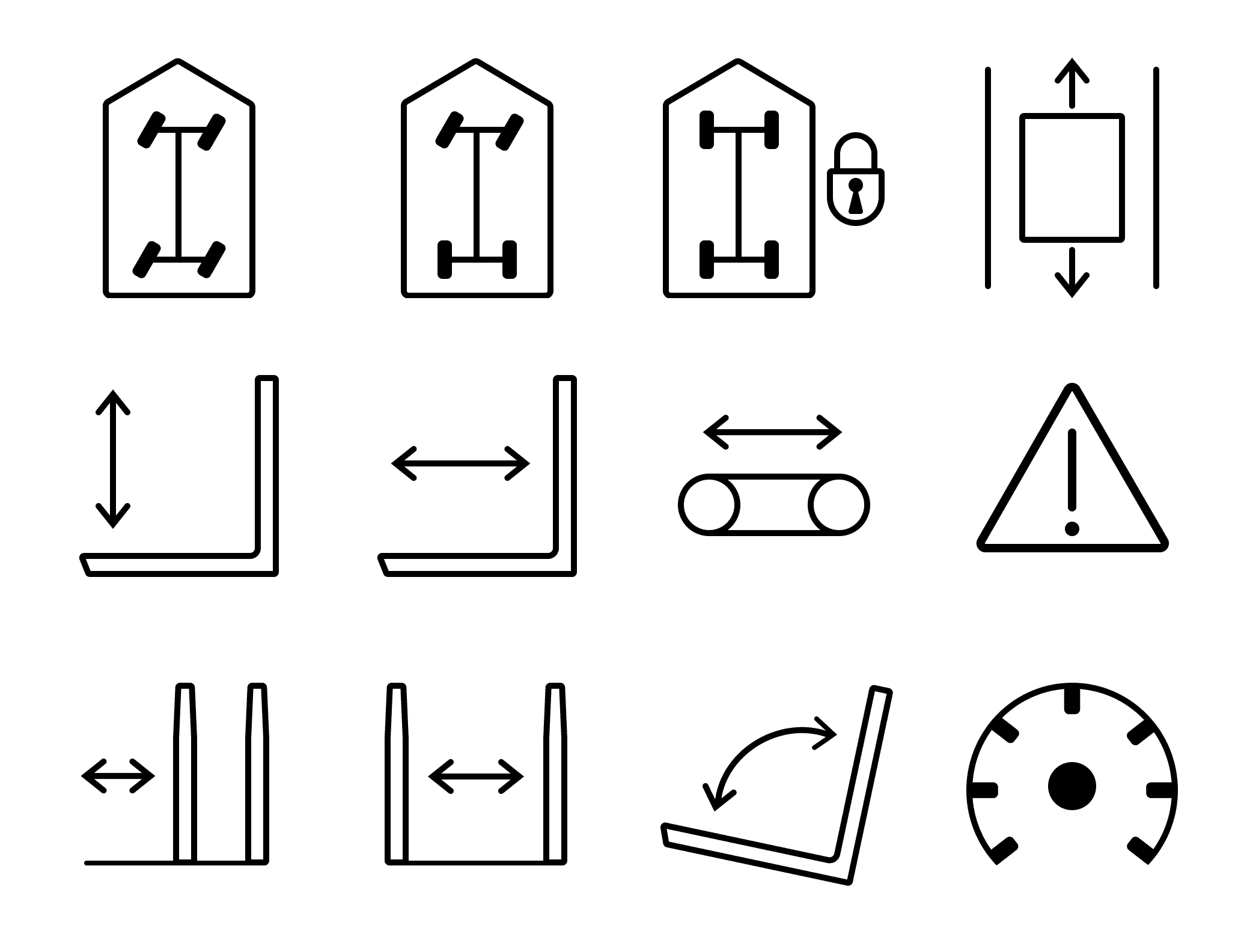
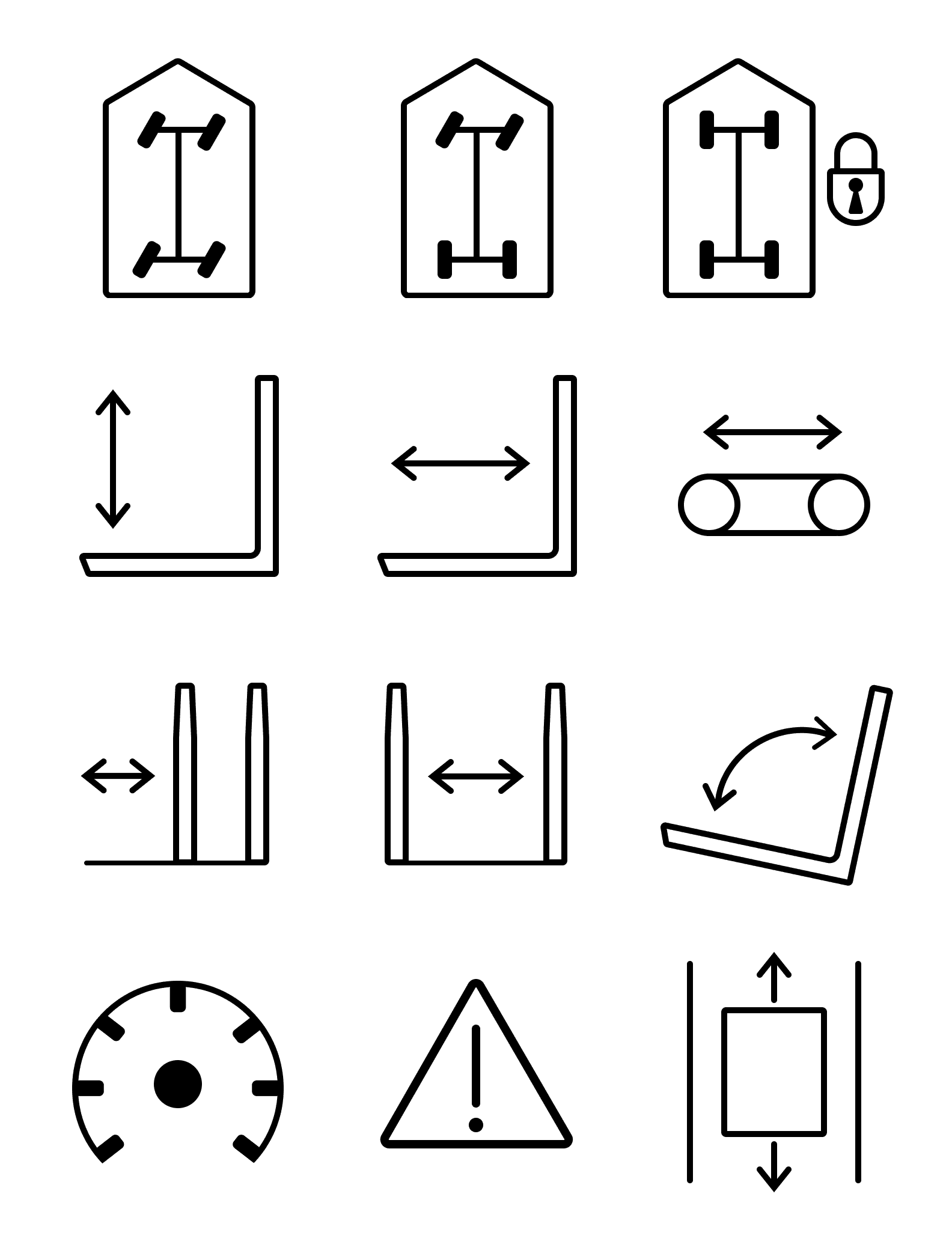
Custom iconography
I used Figma to create a custom ISO-inspired icongraphy set, rooted in my card sorting and usability testing data.
RESULTS
Project impact
Increased icon clarity
9/9 users recognized core icons like Lift, Tilt, and Lock Straight at first glance.
Clear recognition of color cues
8/9 users correctly interpreted visual feedback for vehicle states (ready, warning, vehicle error).
Faster access to custom functions
Reduced navigation from up to 8 clicks to just 3 for accessing custom actuators—streamlining frequent maneuvers.
How my work has evolved
Consistency beats flexibility in industrial UX. Predictability builds trust, even at the cost of user preference.
No text = no room for vague icons. It forced me to refine every symbol until its meaning was clear without explanation.